Skip to content

No more
server management.

Enter a URL and AI migrates your site as‑is.
From setups that breed vulnerabilities to static delivery.

Entering a URL doesn't change your current site or domain settings.

Your site looks the same after migrating

Right now, WordPress and PHP run on a server every time someone opens a page. Skip a core or plugin update and it becomes a weak spot.

窓辺設計室
  • 事務所について
  • 設計実績
  • お問い合わせ

住宅と小さなお店の設計をしています。

東京都内を中心に、新築とリフォームをお受けしています。

受付10:00〜17:00(土日休み)
A sample site (www.example.co.jp). Visitors see the same pages before and after migrating.

What runs this siteExample before

How pages are made
PHP builds each one on request
WordPress core
6.4 (1 update available)
Plugins
14 (4 have updates)
PHP
7.4 (end of official support)
Database
MySQL
Server
Rental server on a monthly contract

There are fewer ways in for attackers, but not zero. Contact forms, third-party scripts and the accounts you log in with still need looking after.

How it works

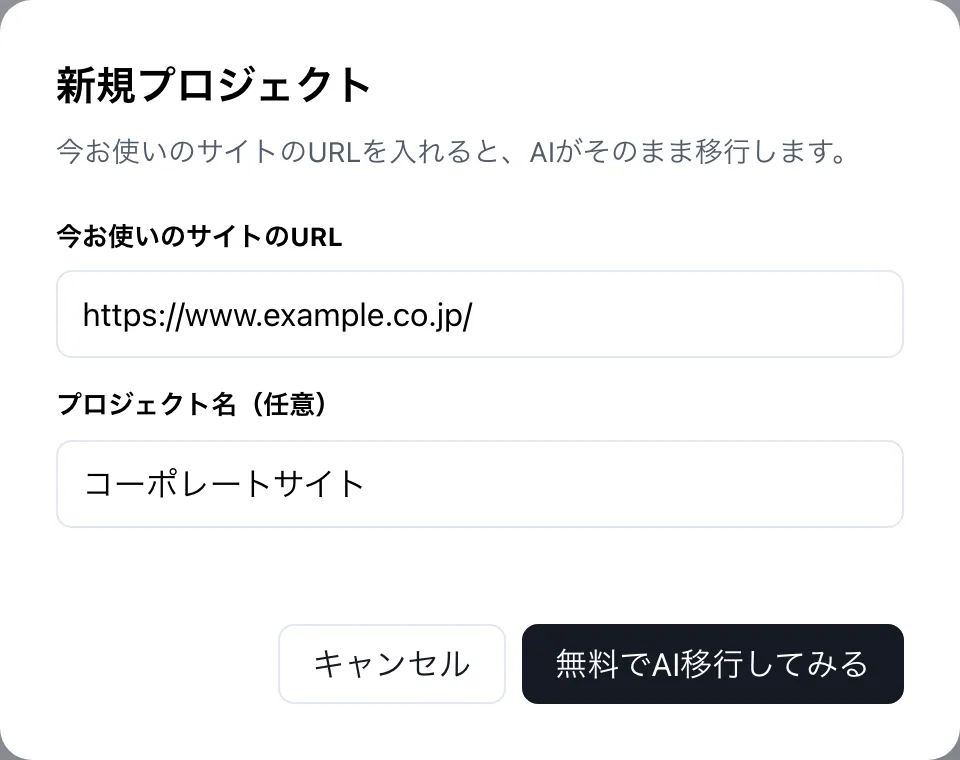
  1. First, enter your site's URL.

    We read your public pages. Nothing is ever written to your current site or server.

    The dashboard's New project screen, with fields for your current site's URL and a project name.
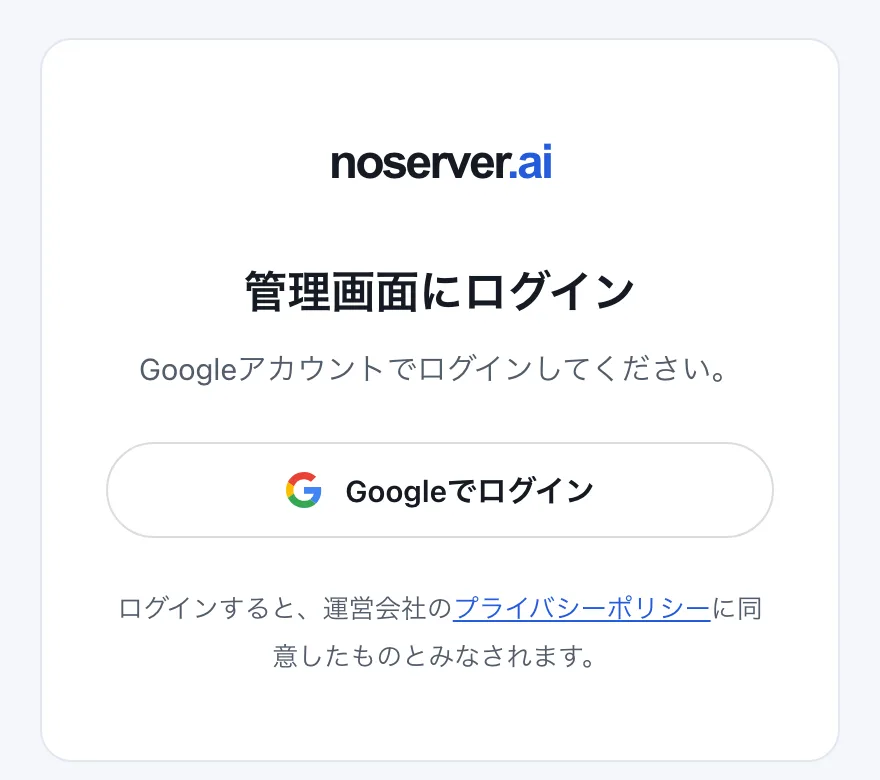
  2. Next, log in with Google.

    We confirm you own or manage the site before the migration starts.

    The dashboard log-in screen, showing only a Log in with Google button.
  3. When it's ready, check the preview.

    Check the look, links and forms. Anything that couldn't be carried over is listed.

  4. Finally, choose where to publish.

    Publish right away on a free subdomain. Switching to your own domain is available from Mini, once you've checked everything.

The dashboard after migrating

  • No server contract

    Hosting is included in the price. You don't need to rent a server separately.

    Plan

    • Free¥0 / month・current plan
    • Mini¥1,980 / month
    • Pro¥7,980 / month
  • Custom domains from Mini

    Publish on the domain you use today. You switch over with a DNS setting.

    Custom domain

    TypeNameStatus
    CNAMEwwwConnected
    TXT_noserverVerified
  • Roll back to an earlier version

    Every published version is kept, and one click restores an earlier one. How far back you can go depends on your plan.

    Publishing history

    • Nov 8, 15:20Live
    • Nov 6, 10:02Restore
    • Oct 30, 18:45Restore
  • Form messages arrive in the dashboard

    Contact form submissions come to your dashboard. How many you can receive depends on your plan.

    Contact form messages

    • Asking for a quoteNov 8
    • Booking a visitNov 7
    • About job openingsNov 4
  • Add more languages (Pro)

    Translate your pages and publish in several languages, with a language switcher included.

    Published languages

    • 日本語Original
    • EnglishTranslated
    • 中文(简体)Add
  • Manage each site separately

    Handle several sites from one account. Pricing is per site.

    Projects

    • Company siteLive
    • Shop newsWaiting
    • Careers siteLive

On Pro, ask AI to make updates

Describe what you want to change and AI edits the site. Nothing goes live until you check the preview and press Publish.

Change the reception hours to end at 6 pm

Changed the reception hours to 18:00 on the home and contact pages.

Before
Open 10:00–17:00
After
Open 10:00–18:00

Press Check preview to see the changed page on the right.

Before
窓辺設計室
  • 事務所について
  • 設計実績
  • お問い合わせ

住宅と小さなお店の設計をしています。

東京都内を中心に、新築とリフォームをお受けしています。

受付10:00〜17:00(土日休み)

Pricing

Try migrating and publishing on a subdomain with Free. Prices include tax and are per site.

Tax included, per site. Annual billing saves about two months.

Free

¥0/month

Free

Try a migration and publish on a subdomain.

Published pages
Up to 20
Custom domain
Not included
AI editing
Not included
Published languages
1
Publishing history
Current and previous version
Form messages
Up to 50/month
Dashboard users
1
Storage for images and files
500 MB

Mini

¥1,980/month

Billed monthly

Publish on your current domain.

Published pages
Up to 100
Custom domain
1
AI editing
Not included
Published languages
1
Publishing history
30 days
Form messages
Up to 300/month
Dashboard users
2
Storage for images and files
2 GB

Pro

¥7,980/month

Billed monthly

Ask AI to make updates.

Published pages
Up to 300
Custom domain
1
AI editing
Included (monthly allowance)
Published languages
3
Publishing history
90 days
Form messages
Up to 1,000/month
Dashboard users
5
Storage for images and files
10 GB

Registering and renewing a custom domain, external services such as email, and site production work aren't included. Monthly and annual billing include the same features.

Limits such as page counts may change.

FAQ

Do I really not need to rent a server?

Yes. Hosting for your site is included in the price. Registering and renewing a custom domain, and separate services such as an email server, aren't included.

What can I do on Free?

You can migrate your site, check it in a preview and publish it on a noserver.ai subdomain. Limits such as page counts are in the pricing table. A custom domain needs Mini, and AI editing needs Pro.

Will it be exactly the same as my original site?

Design, text and images are carried over, but not every site will be identical. You can check a preview before publishing, and anything that couldn't be carried over is listed.

Can I migrate sites not built with WordPress?

Yes. Sites built with STUDIO and similar tools are migrated by reading their public pages. We don't move each service's editing data or dashboard itself.

Can forms, member areas and online shops be migrated?

Contact forms are replaced with noserver.ai forms. Most server-side features and plugins, such as member areas, purchases and payments, and bookings, can't be migrated. Anything we can't support is listed on the check screen before you publish. (More features are planned.) See planned features

Can I still update the site from the WordPress dashboard?

No. The migrated site has no WordPress in it. To change content, use AI editing on Pro. Updating your original WordPress won't change the migrated site.

Can I change text and images on Mini?

Mini doesn't include AI editing, so you can't change text or images or add pages. Custom domain settings and restoring from publishing history are available on Mini.

Could AI changes go live without my say?

No. AI changes first appear in a preview and only go live when you press Publish.

Is AI editing unlimited?

Pro has a monthly allowance. Going over it never adds charges without asking you first.

Do I need to move my domain or email?

No. Your domain stays with its current registrar; you switch over by changing DNS settings. If your current server also handles email, decide where email will go before cancelling the server.

Does a static site need no security measures?

It still needs them. Not running WordPress and PHP publicly means fewer ways in, but not none. If you keep your original WordPress online, keep updating it too.

Try it with your current site

Your current site stays online as it is until the migration is done.